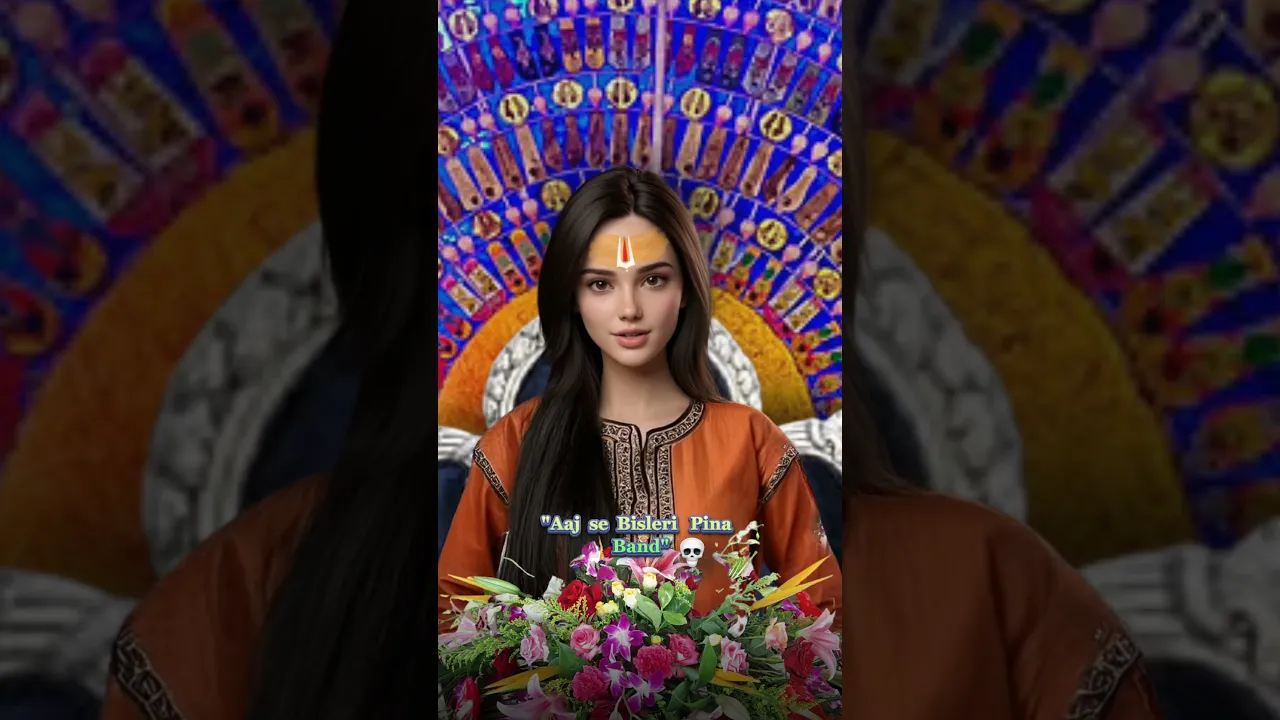
The Ultimate Guide to Creating AI Animated Avatars
Learn how to create realistic AI animated avatars from a single image using powerful AI tools for character design, animation, voice synchronization, and video editing to bring your digital characters to life.
Tutorials
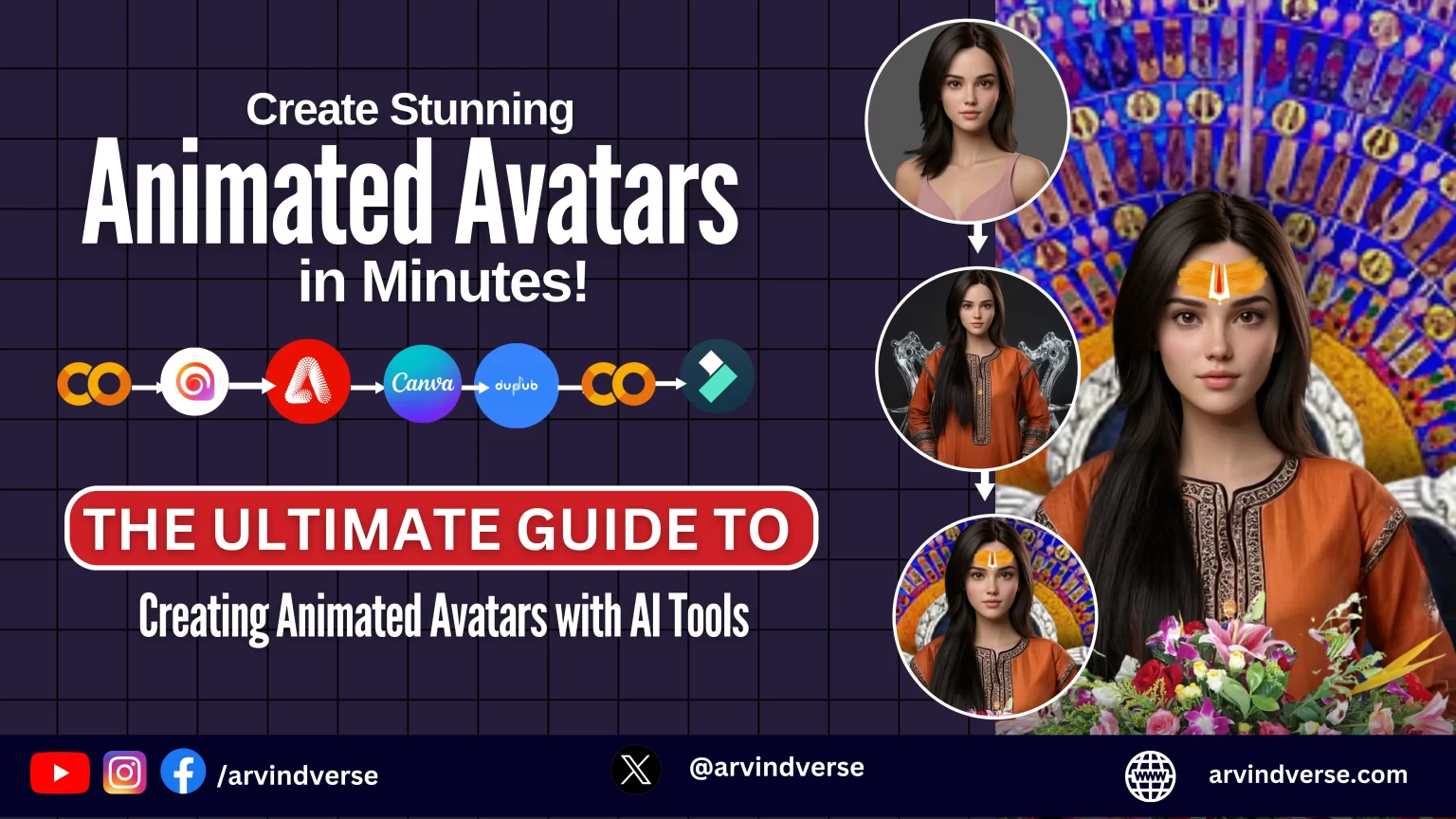
AI powered animated avatars have transformed content creation. What once required professional animation software and hours of editing can now be achieved with a single image and a few AI tools.
Whether you're creating social media content, virtual influencers, YouTube videos, educational content, or brand ambassadors, AI avatars make it easier than ever to produce engaging videos without stepping in front of a camera.
In this guide, you'll learn how to create realistic AI animated avatars from scratch using modern AI tools and a simple workflow.
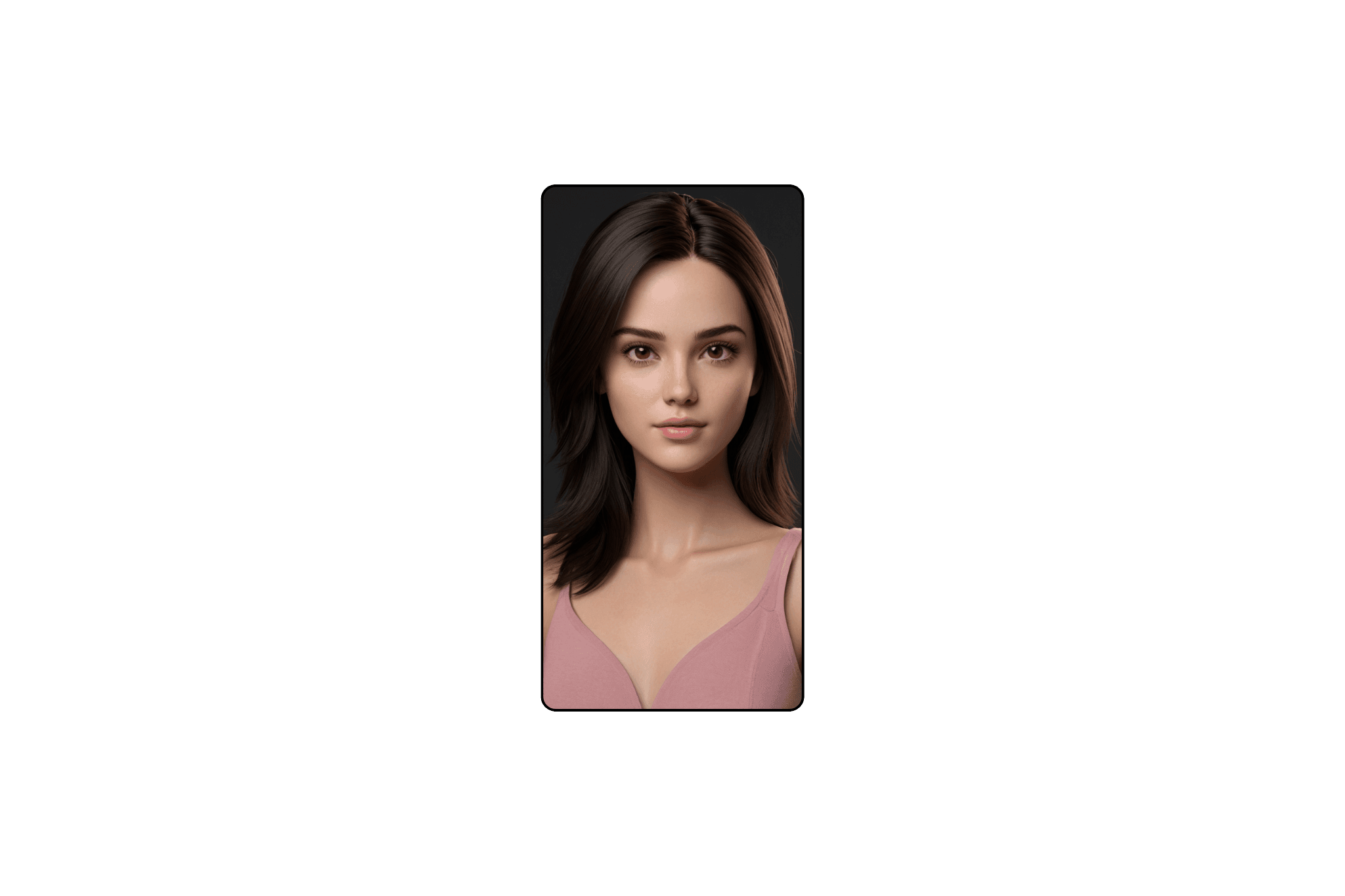
Step 1: Create Your Avatar
Every successful AI avatar starts with a high-quality character image.
Recommended Tools
Flux AI
Ideogram AI
Midjourney
Leonardo AI
Create a detailed prompt describing your character's appearance, clothing, expression, and style.
Example Prompt
"Design a 3D model of an Indian supermodel featuring large, almond-shaped deep brown eyes framed by long, dark lashes that create a captivating gaze. The model should have a sharp, well-defined nose, full naturally curved lips in a soft dusky rose shade, and high, sculpted cheekbones for a flawless contour. Her skin should have a smooth, warm golden-brown tone, with a sharp, symmetrical jawline giving her face a striking yet feminine structure. Her jet-black hair should flow in voluminous waves, perfectly framing her confident and radiant expression. Ensure the 3D render showcases her elegance, magnetic charm, and sophisticated glamour, with realistic textures and lighting for a high-quality finish.""Design a 3D model of an Indian supermodel featuring large, almond-shaped deep brown eyes framed by long, dark lashes that create a captivating gaze. The model should have a sharp, well-defined nose, full naturally curved lips in a soft dusky rose shade, and high, sculpted cheekbones for a flawless contour. Her skin should have a smooth, warm golden-brown tone, with a sharp, symmetrical jawline giving her face a striking yet feminine structure. Her jet-black hair should flow in voluminous waves, perfectly framing her confident and radiant expression. Ensure the 3D render showcases her elegance, magnetic charm, and sophisticated glamour, with realistic textures and lighting for a high-quality finish.""Design a 3D model of an Indian supermodel featuring large, almond-shaped deep brown eyes framed by long, dark lashes that create a captivating gaze. The model should have a sharp, well-defined nose, full naturally curved lips in a soft dusky rose shade, and high, sculpted cheekbones for a flawless contour. Her skin should have a smooth, warm golden-brown tone, with a sharp, symmetrical jawline giving her face a striking yet feminine structure. Her jet-black hair should flow in voluminous waves, perfectly framing her confident and radiant expression. Ensure the 3D render showcases her elegance, magnetic charm, and sophisticated glamour, with realistic textures and lighting for a high-quality finish."Why This Matters
The quality of your source image directly affects the realism of the final animated avatar.
Step 2: Enhance and Refine the Character
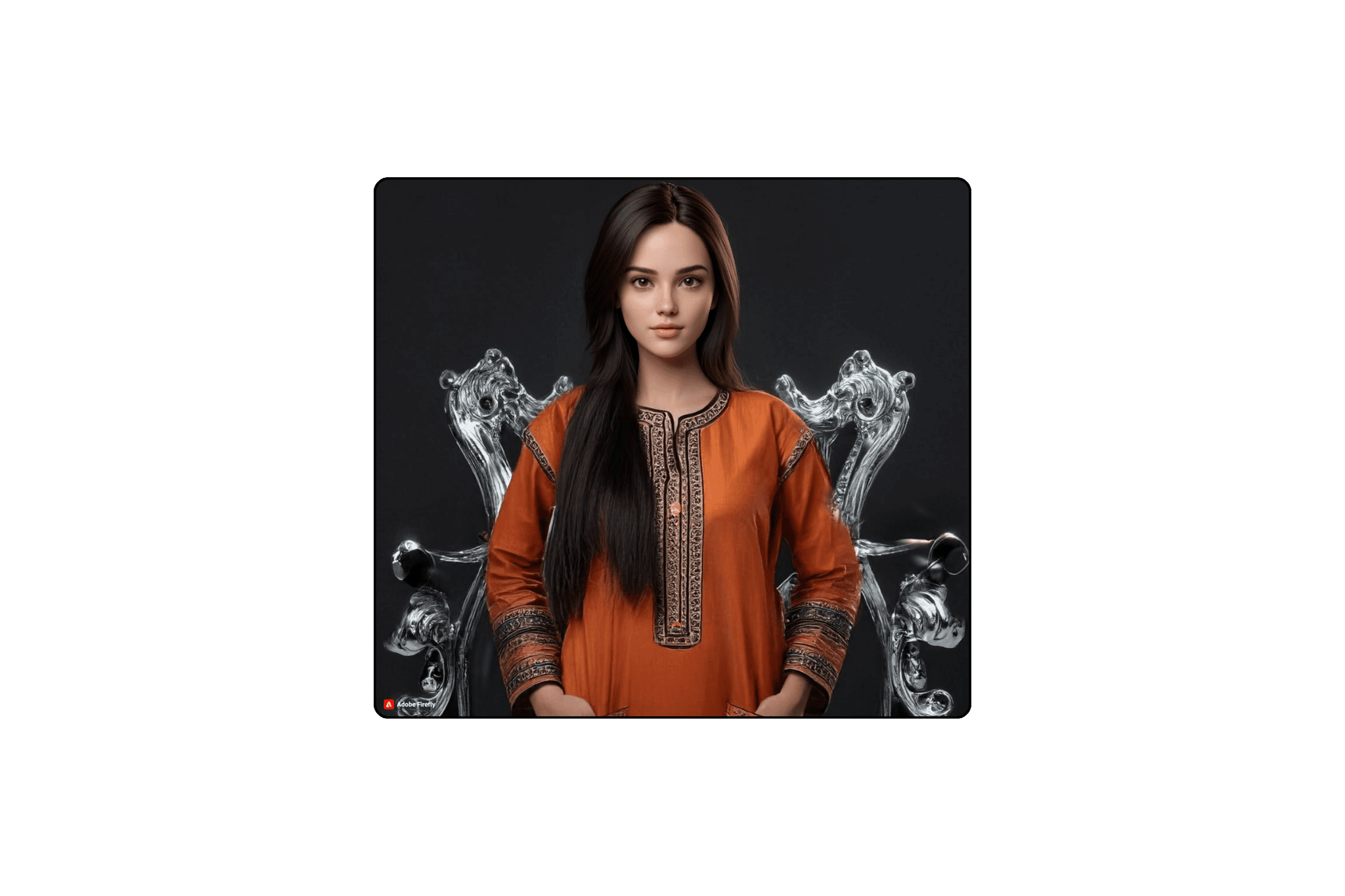
Once your avatar is generated, improve small details such as skin texture, clothing, lighting, and facial features.
Recommended Tools
Adobe Firefly
Photoshop Generative Fill
Magnific AI
Topaz Photo AI
Why This Matters
Refining the image creates a more professional and realistic final result.
Step 3: Add Backgrounds and Branding
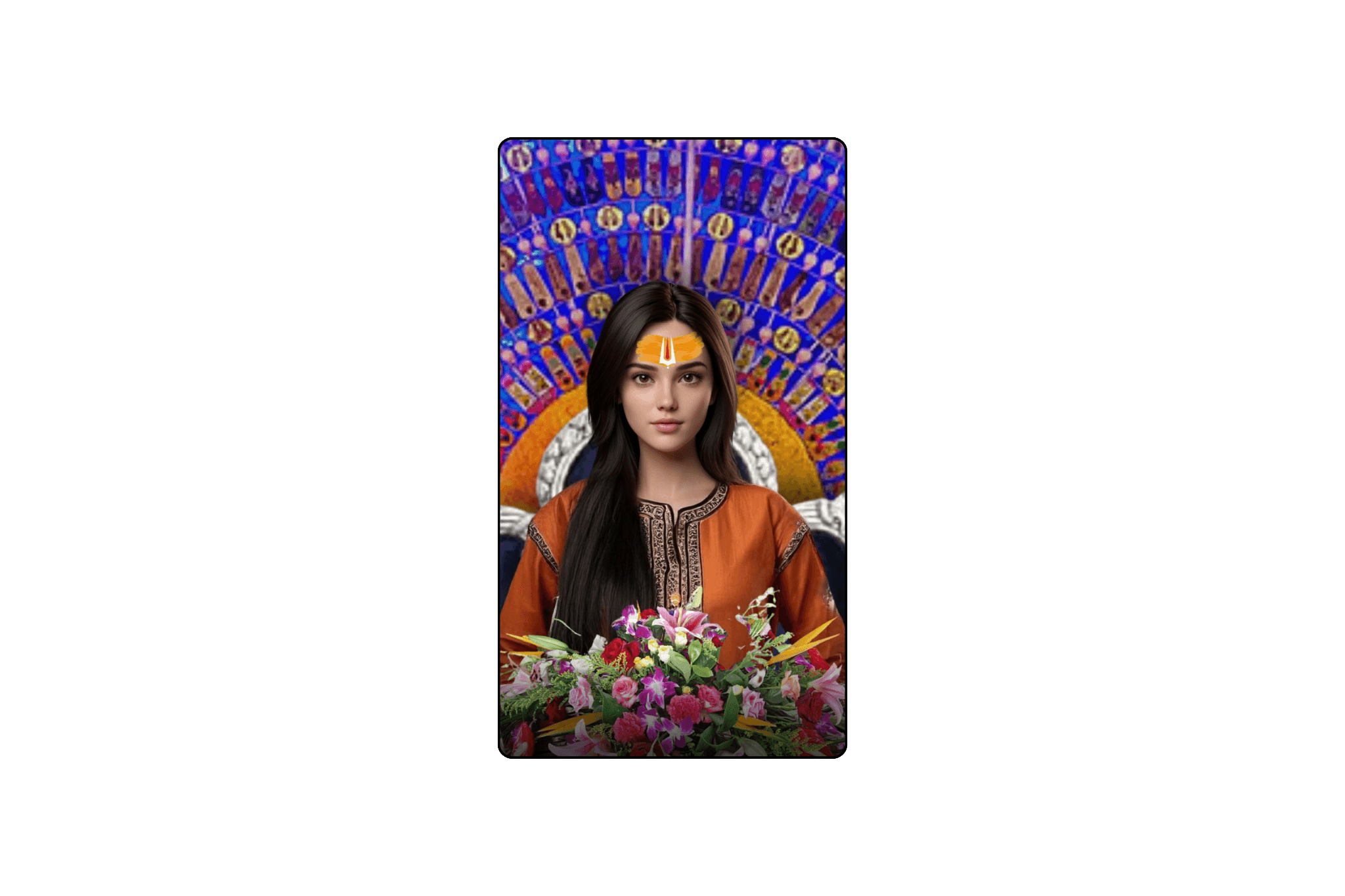
A strong background gives your avatar context and personality.
Recommended Tools
Canva
Adobe Express
Photoshop
You can place your avatar in:
Corporate office environments
Futuristic settings
Educational studios
Personal branded backgrounds
Why This Matters
The right environment helps viewers instantly understand your message.
Step 4: Animate Your Avatar
Now it's time to bring your character to life.
Recommended Tools
Hailuo AI
Kling AI
Runway
Live Portrait AI
These tools can generate natural:
Head movements
Eye contact
Facial expressions
Hand gestures
Body motion
Why This Matters
Movement creates a stronger emotional connection with viewers and increases engagement.
Step 5: Generate Voice and Lip Sync
A realistic voice is just as important as realistic animation.
Recommended Tools
ElevenLabs
DupDub
HeyGen
CapCut AI Voice
Upload your script or audio file and let AI synchronize speech with your avatar's facial movements.
Why This Matters
Accurate lip synchronization makes the avatar feel authentic and believable.
Step 6: Edit and Polish the Final Video
Combine all elements into a polished final video.
Recommended Tools
Adobe Premiere Pro
Filmora
CapCut
DaVinci Resolve
Add:
Background music
Captions
Sound effects
Transitions
Branding elements
Why This Matters
Professional editing dramatically improves watch time and audience retention.
Why Are AI Animated Avatars Becoming So Popular?
AI avatars help creators:
Produce content faster
Reduce production costs
Scale content creation
Build personal brands without appearing on camera
Create multilingual content effortlessly
From YouTube creators to businesses, AI avatars are becoming a powerful tool for communication and storytelling.
Why Are AI Animated Avatars Becoming So Popular?
AI animated avatars are no longer a futuristic concept. They are practical tools that allow creators, marketers, educators, and businesses to create engaging video content in minutes.
By combining AI image generation, animation tools, voice synthesis, and video editing software, you can build realistic digital presenters capable of capturing attention across social media platforms.
As AI technology continues to improve, creating lifelike avatars will become even easier, opening exciting opportunities for creators worldwide.
More to Discover
The Ultimate Guide to Creating AI Animated Avatars
Learn how to create realistic AI animated avatars from a single image using powerful AI tools for character design, animation, voice synchronization, and video editing to bring your digital characters to life.
Tutorials
AI powered animated avatars have transformed content creation. What once required professional animation software and hours of editing can now be achieved with a single image and a few AI tools.
Whether you're creating social media content, virtual influencers, YouTube videos, educational content, or brand ambassadors, AI avatars make it easier than ever to produce engaging videos without stepping in front of a camera.
In this guide, you'll learn how to create realistic AI animated avatars from scratch using modern AI tools and a simple workflow.
Step 1: Create Your Avatar
Every successful AI avatar starts with a high-quality character image.
Recommended Tools
Flux AI
Ideogram AI
Midjourney
Leonardo AI
Create a detailed prompt describing your character's appearance, clothing, expression, and style.
Example Prompt
"Design a 3D model of an Indian supermodel featuring large, almond-shaped deep brown eyes framed by long, dark lashes that create a captivating gaze. The model should have a sharp, well-defined nose, full naturally curved lips in a soft dusky rose shade, and high, sculpted cheekbones for a flawless contour. Her skin should have a smooth, warm golden-brown tone, with a sharp, symmetrical jawline giving her face a striking yet feminine structure. Her jet-black hair should flow in voluminous waves, perfectly framing her confident and radiant expression. Ensure the 3D render showcases her elegance, magnetic charm, and sophisticated glamour, with realistic textures and lighting for a high-quality finish.""Design a 3D model of an Indian supermodel featuring large, almond-shaped deep brown eyes framed by long, dark lashes that create a captivating gaze. The model should have a sharp, well-defined nose, full naturally curved lips in a soft dusky rose shade, and high, sculpted cheekbones for a flawless contour. Her skin should have a smooth, warm golden-brown tone, with a sharp, symmetrical jawline giving her face a striking yet feminine structure. Her jet-black hair should flow in voluminous waves, perfectly framing her confident and radiant expression. Ensure the 3D render showcases her elegance, magnetic charm, and sophisticated glamour, with realistic textures and lighting for a high-quality finish.""Design a 3D model of an Indian supermodel featuring large, almond-shaped deep brown eyes framed by long, dark lashes that create a captivating gaze. The model should have a sharp, well-defined nose, full naturally curved lips in a soft dusky rose shade, and high, sculpted cheekbones for a flawless contour. Her skin should have a smooth, warm golden-brown tone, with a sharp, symmetrical jawline giving her face a striking yet feminine structure. Her jet-black hair should flow in voluminous waves, perfectly framing her confident and radiant expression. Ensure the 3D render showcases her elegance, magnetic charm, and sophisticated glamour, with realistic textures and lighting for a high-quality finish."Why This Matters
The quality of your source image directly affects the realism of the final animated avatar.
Step 2: Enhance and Refine the Character
Once your avatar is generated, improve small details such as skin texture, clothing, lighting, and facial features.
Recommended Tools
Adobe Firefly
Photoshop Generative Fill
Magnific AI
Topaz Photo AI
Why This Matters
Refining the image creates a more professional and realistic final result.
Step 3: Add Backgrounds and Branding
A strong background gives your avatar context and personality.
Recommended Tools
Canva
Adobe Express
Photoshop
You can place your avatar in:
Corporate office environments
Futuristic settings
Educational studios
Personal branded backgrounds
Why This Matters
The right environment helps viewers instantly understand your message.
Step 4: Animate Your Avatar
Now it's time to bring your character to life.
Recommended Tools
Hailuo AI
Kling AI
Runway
Live Portrait AI
These tools can generate natural:
Head movements
Eye contact
Facial expressions
Hand gestures
Body motion
Why This Matters
Movement creates a stronger emotional connection with viewers and increases engagement.
Step 5: Generate Voice and Lip Sync
A realistic voice is just as important as realistic animation.
Recommended Tools
ElevenLabs
DupDub
HeyGen
CapCut AI Voice
Upload your script or audio file and let AI synchronize speech with your avatar's facial movements.
Why This Matters
Accurate lip synchronization makes the avatar feel authentic and believable.
Step 6: Edit and Polish the Final Video
Combine all elements into a polished final video.
Recommended Tools
Adobe Premiere Pro
Filmora
CapCut
DaVinci Resolve
Add:
Background music
Captions
Sound effects
Transitions
Branding elements
Why This Matters
Professional editing dramatically improves watch time and audience retention.
Why Are AI Animated Avatars Becoming So Popular?
AI avatars help creators:
Produce content faster
Reduce production costs
Scale content creation
Build personal brands without appearing on camera
Create multilingual content effortlessly
From YouTube creators to businesses, AI avatars are becoming a powerful tool for communication and storytelling.
Why Are AI Animated Avatars Becoming So Popular?
AI animated avatars are no longer a futuristic concept. They are practical tools that allow creators, marketers, educators, and businesses to create engaging video content in minutes.
By combining AI image generation, animation tools, voice synthesis, and video editing software, you can build realistic digital presenters capable of capturing attention across social media platforms.
As AI technology continues to improve, creating lifelike avatars will become even easier, opening exciting opportunities for creators worldwide.
More to Discover
The Ultimate Guide to Creating AI Animated Avatars
Learn how to create realistic AI animated avatars from a single image using powerful AI tools for character design, animation, voice synchronization, and video editing to bring your digital characters to life.
Tutorials
AI powered animated avatars have transformed content creation. What once required professional animation software and hours of editing can now be achieved with a single image and a few AI tools.
Whether you're creating social media content, virtual influencers, YouTube videos, educational content, or brand ambassadors, AI avatars make it easier than ever to produce engaging videos without stepping in front of a camera.
In this guide, you'll learn how to create realistic AI animated avatars from scratch using modern AI tools and a simple workflow.
Step 1: Create Your Avatar
Every successful AI avatar starts with a high-quality character image.
Recommended Tools
Flux AI
Ideogram AI
Midjourney
Leonardo AI
Create a detailed prompt describing your character's appearance, clothing, expression, and style.
Example Prompt
"Design a 3D model of an Indian supermodel featuring large, almond-shaped deep brown eyes framed by long, dark lashes that create a captivating gaze. The model should have a sharp, well-defined nose, full naturally curved lips in a soft dusky rose shade, and high, sculpted cheekbones for a flawless contour. Her skin should have a smooth, warm golden-brown tone, with a sharp, symmetrical jawline giving her face a striking yet feminine structure. Her jet-black hair should flow in voluminous waves, perfectly framing her confident and radiant expression. Ensure the 3D render showcases her elegance, magnetic charm, and sophisticated glamour, with realistic textures and lighting for a high-quality finish.""Design a 3D model of an Indian supermodel featuring large, almond-shaped deep brown eyes framed by long, dark lashes that create a captivating gaze. The model should have a sharp, well-defined nose, full naturally curved lips in a soft dusky rose shade, and high, sculpted cheekbones for a flawless contour. Her skin should have a smooth, warm golden-brown tone, with a sharp, symmetrical jawline giving her face a striking yet feminine structure. Her jet-black hair should flow in voluminous waves, perfectly framing her confident and radiant expression. Ensure the 3D render showcases her elegance, magnetic charm, and sophisticated glamour, with realistic textures and lighting for a high-quality finish.""Design a 3D model of an Indian supermodel featuring large, almond-shaped deep brown eyes framed by long, dark lashes that create a captivating gaze. The model should have a sharp, well-defined nose, full naturally curved lips in a soft dusky rose shade, and high, sculpted cheekbones for a flawless contour. Her skin should have a smooth, warm golden-brown tone, with a sharp, symmetrical jawline giving her face a striking yet feminine structure. Her jet-black hair should flow in voluminous waves, perfectly framing her confident and radiant expression. Ensure the 3D render showcases her elegance, magnetic charm, and sophisticated glamour, with realistic textures and lighting for a high-quality finish."Why This Matters
The quality of your source image directly affects the realism of the final animated avatar.
Step 2: Enhance and Refine the Character
Once your avatar is generated, improve small details such as skin texture, clothing, lighting, and facial features.
Recommended Tools
Adobe Firefly
Photoshop Generative Fill
Magnific AI
Topaz Photo AI
Why This Matters
Refining the image creates a more professional and realistic final result.
Step 3: Add Backgrounds and Branding
A strong background gives your avatar context and personality.
Recommended Tools
Canva
Adobe Express
Photoshop
You can place your avatar in:
Corporate office environments
Futuristic settings
Educational studios
Personal branded backgrounds
Why This Matters
The right environment helps viewers instantly understand your message.
Step 4: Animate Your Avatar
Now it's time to bring your character to life.
Recommended Tools
Hailuo AI
Kling AI
Runway
Live Portrait AI
These tools can generate natural:
Head movements
Eye contact
Facial expressions
Hand gestures
Body motion
Why This Matters
Movement creates a stronger emotional connection with viewers and increases engagement.
Step 5: Generate Voice and Lip Sync
A realistic voice is just as important as realistic animation.
Recommended Tools
ElevenLabs
DupDub
HeyGen
CapCut AI Voice
Upload your script or audio file and let AI synchronize speech with your avatar's facial movements.
Why This Matters
Accurate lip synchronization makes the avatar feel authentic and believable.
Step 6: Edit and Polish the Final Video
Combine all elements into a polished final video.
Recommended Tools
Adobe Premiere Pro
Filmora
CapCut
DaVinci Resolve
Add:
Background music
Captions
Sound effects
Transitions
Branding elements
Why This Matters
Professional editing dramatically improves watch time and audience retention.
Why Are AI Animated Avatars Becoming So Popular?
AI avatars help creators:
Produce content faster
Reduce production costs
Scale content creation
Build personal brands without appearing on camera
Create multilingual content effortlessly
From YouTube creators to businesses, AI avatars are becoming a powerful tool for communication and storytelling.
Why Are AI Animated Avatars Becoming So Popular?
AI animated avatars are no longer a futuristic concept. They are practical tools that allow creators, marketers, educators, and businesses to create engaging video content in minutes.
By combining AI image generation, animation tools, voice synthesis, and video editing software, you can build realistic digital presenters capable of capturing attention across social media platforms.
As AI technology continues to improve, creating lifelike avatars will become even easier, opening exciting opportunities for creators worldwide.